

How do I troubleshoot a non - working kitchen scale?
Jun 25, 2026
Troubleshooting a non - working kitchen scale can be a frustrating experience, but as a kitchen scale supplier, I'm here to guide you through the process. A kitchen scale is an essential tool in any kitchen, whether you're a professional chef or a home cook. It helps you measure ingredients accurately, ensuring the success of your recipes. When it stops working, it can throw a wrench in your cooking plans. Let's dive into the common issues and how to fix them.
Power - Related Issues
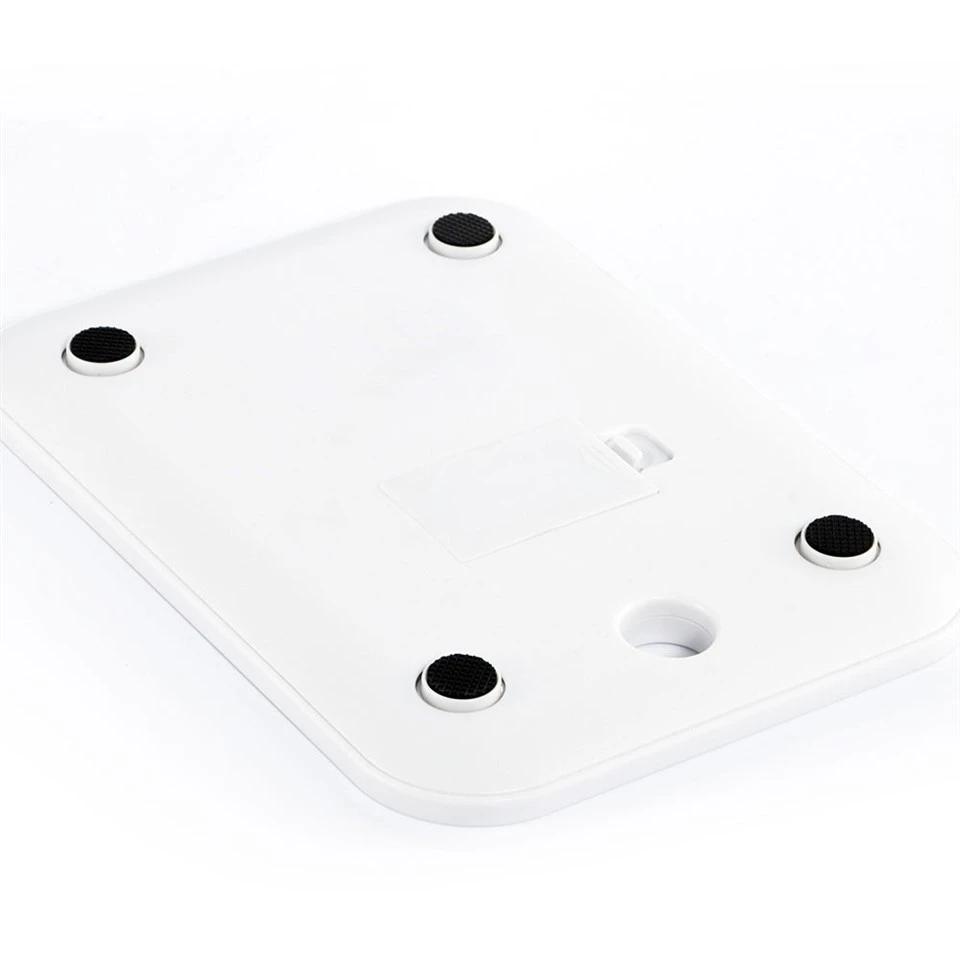
One of the most common reasons a kitchen scale may not work is a power problem. If your scale is battery - operated, the first thing you should do is check the batteries. Remove the battery compartment cover and examine the batteries. Look for signs of corrosion, such as a white powdery substance on the battery terminals or inside the compartment. Corrosion can prevent the battery from making a proper connection, leading to a non - functioning scale.
If there is corrosion, use a cotton swab dipped in vinegar or lemon juice to clean the terminals. Gently rub the swab over the affected areas until the corrosion is removed. Then, dry the terminals thoroughly with a clean cloth. Replace the batteries with new ones of the correct type and size. Make sure they are inserted correctly, following the polarity markings in the battery compartment.
For scales that are plugged into an electrical outlet, check the power cord. Look for any visible damage, such as frayed wires or a bent plug. If the cord is damaged, do not attempt to repair it yourself. Instead, contact a professional electrician or the manufacturer for a replacement cord. Also, ensure that the outlet is working by plugging in another device. If the outlet is not working, you may need to check the circuit breaker or call an electrician.
Calibration Problems
Calibration is another crucial aspect of a working kitchen scale. Over time, a scale can lose its accuracy due to regular use, movement, or changes in temperature. If your scale is displaying incorrect weights or not zeroing properly, it may need to be calibrated.
Most kitchen scales have a calibration function. Refer to the user manual for your specific scale to find out how to calibrate it. Typically, you will need to place a known weight on the scale and follow the on - screen instructions to adjust the calibration. For example, if your scale supports calibration with a 1000 - gram weight, place a 1000 - gram calibration weight on the scale and press the calibration button. The scale will then adjust its internal settings to ensure accurate measurements.
If you don't have a calibration weight, you can use common household items with a known weight. For instance, a standard can of soup usually weighs around 400 grams. However, keep in mind that using household items may not provide the same level of accuracy as a proper calibration weight.
Sensor and Platform Issues
The sensor and platform of the scale are also important components. If the scale is not registering any weight or is giving inconsistent readings, there may be an issue with the sensor. Check the platform for any debris, such as food particles or liquid spills. Even a small amount of debris can interfere with the sensor's ability to detect weight accurately.
Use a soft, dry cloth to clean the platform of the scale. Make sure to remove any dirt or residue. If there are stubborn stains, you can use a mild detergent diluted in water. Gently wipe the platform with the damp cloth and then dry it thoroughly.
Additionally, check the scale for any physical damage to the platform or the sensor. If the platform is cracked or the sensor is visibly damaged, the scale may need to be replaced. In some cases, the manufacturer may offer repair services for damaged components.
Software and Firmware Issues
Some modern kitchen scales come with software or firmware that can cause problems. If your scale has a digital display and is not functioning correctly, there may be a software or firmware issue. Check the manufacturer's website for any available software updates. Updating the firmware can often fix bugs and improve the performance of the scale.
To update the firmware, you may need to connect the scale to a computer using a USB cable. Follow the instructions provided by the manufacturer to download and install the latest firmware. Make sure to back up any important data on the scale before performing the update.

Other Possible Issues
There are a few other factors that can cause a kitchen scale to stop working. For example, if the scale has been dropped or subjected to a shock, it may have internal damage. In this case, it's best to contact the manufacturer for repair or replacement options.
Also, environmental factors can affect the performance of the scale. Extreme temperatures, high humidity, or strong magnetic fields can interfere with the scale's operation. Try to keep the scale in a stable environment away from direct sunlight, heat sources, and magnetic objects.
Conclusion
Troubleshooting a non - working kitchen scale requires a systematic approach. By checking the power, calibration, sensor, software, and other possible issues, you can often identify and fix the problem. As a kitchen scale supplier, we are committed to providing high - quality products and excellent customer support.
If you're in the market for a new kitchen scale, we offer a wide range of options, including the Stainless Steel Kitchen Scale. Our stainless steel kitchen scales are durable, accurate, and easy to clean, making them a great addition to any kitchen.
If you have any questions about our products or need further assistance with troubleshooting your kitchen scale, please feel free to contact us. We're here to help you get the most out of your kitchen scale and ensure your cooking experience is a success.
References
- Kitchen Scale User Manuals
- Manufacturer's Technical Support Documentation